Include tax in valuation or total
On a purchase document, a tax or charge can change what you owe the supplier, the value of the received stock, or both. The field Consider Tax or Charge for on each row of the purchase tax table decides this.
| Question | Value that answers it |
|---|---|
| How much does the company owe this supplier? | Total |
| How much did it cost to bring the item into stock? | Valuation |
Prerequisites
- You know who charges the amount and whether your accounting policy adds it to the stock cost. Ask your accountant.
- The tax, freight, or expense account exists in the Chart of Accounts.
- The document has stock items. For non-stock items, ERPNext changes Valuation rows to Total.
Choose the value
| Value | Supplier total | Stock valuation | Typical use |
|---|---|---|---|
| Total (default) | Increases | No change | Recoverable tax, or a charge that you expense |
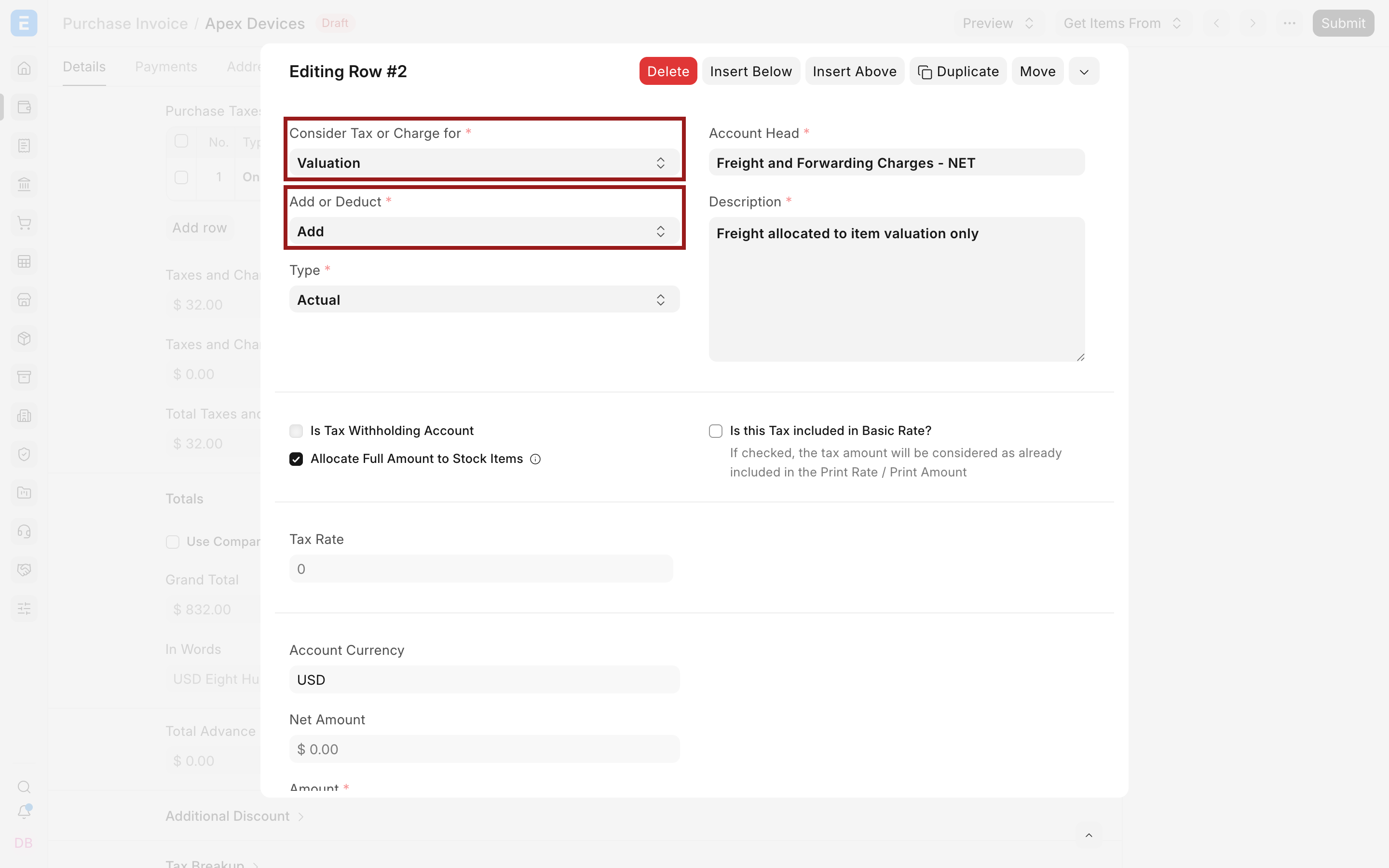
| Valuation | No change | Increases | Freight paid to a separate carrier, added to the item cost |
| Valuation and Total | Increases | Increases | Freight that the supplier bills and that is part of the item cost |
The Type decides how ERPNext calculates the amount. Consider Tax or Charge for decides where the amount goes.
Example
A Purchase Invoice has items worth 800, a recoverable tax of 4% (32) set to Total, and freight of 100.
| Freight row set to | Supplier payable | Freight added to stock value |
|---|---|---|
| Total | 932 | No |
| Valuation | 832 | Yes |
| Valuation and Total | 932 | Yes |
Set the value on a row
- Open the purchase document, or the Purchase Taxes and Charges Template.
- Open the freight row with the edit icon.
- Set Type, for example Actual for a fixed amount, and enter the amount.
- Select the Account Head. For a Valuation row, use an account such as an expenses-included-in-valuation or clearing account.
- Set Consider Tax or Charge for.
- For an Actual row that affects valuation, decide on Allocate Full Amount to Stock Items. When it is selected (the default), the whole amount goes to the stock and asset items.
- With perpetual inventory, set the Cost Center of the row.
Check the result
- Compare the Grand Total with the amount that you owe the supplier.
- Submit the document.
- In the General Ledger, check the supplier and tax postings.
- In the Stock Ledger, check the incoming valuation rate of the items.
The stock posting depends on whether stock is received with a Purchase Receipt or with Update Stock on the Purchase Invoice.
Valuation row or Landed Cost Voucher
A Valuation row does not create a payable. Record the carrier's bill with its own document.
Use a Landed Cost Voucher when the cost becomes known after the receipt, comes from another supplier, or must be spread over several receipts. Use the purchase tax row when the cost is known on the purchase document. Do not record the same cost both ways, or it is added to stock value twice.
Troubleshooting
| Problem | Cause and fix |
|---|---|
| Freight increased the supplier payable unexpectedly | The row uses Valuation and Total or Total. Use Valuation only when the supplier does not bill this amount. |
| Freight did not increase item valuation | The row uses Total, or all items are non-stock items. ERPNext shows "Tax Category has been changed to "Total" because all the Items are non-stock items". |
| Stock value includes the charge twice | The cost is in a valuation row and also in a Landed Cost Voucher. Keep one. |
| "Cost Center is required in row ... in Taxes table for type ..." | Set the Cost Center on the valuation row. |