Trace invoice allocations in the Payment Ledger
The Payment Ledger records, for each receivable and payable account, which invoice every amount belongs to. ERPNext uses it to calculate invoice outstanding amounts, advances, ageing, and reconciliation. It does not post anything to the accounts. The General Ledger tells you which accounts were debited and credited. The Payment Ledger tells you which invoice a payment settles.
Use the Payment Ledger report when an invoice is still outstanding although a payment exists.
How entries are created
| Event | Payment Ledger effect |
|---|---|
| A Sales Invoice or Purchase Invoice is submitted | An entry against the invoice itself, which opens its outstanding amount. |
| A Payment Entry is submitted with the invoice in its References table | An entry against the invoice, which reduces its outstanding amount. |
| A payment or advance is submitted without a reference | An entry against the payment itself, which stays unallocated. |
| A Credit Note or Debit Note is allocated | An entry against the original invoice. |
| A payment is reconciled or unreconciled | The allocation moves between the payment and the invoice. No new bank entry is made. |
The Accounts Receivable and Accounts Payable reports, statements of accounts, and the reconciliation tools all read these entries.
Run the report
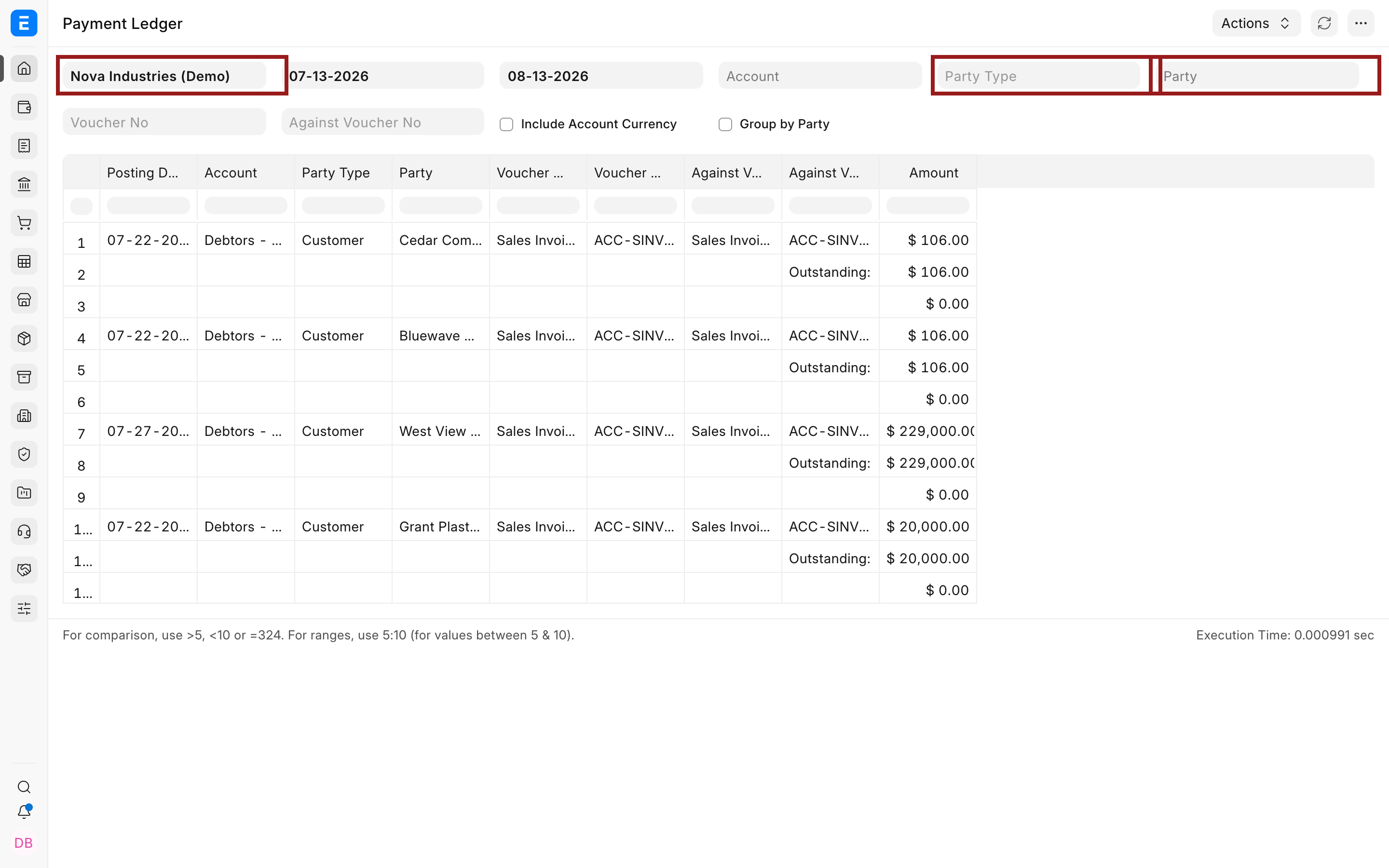
- Open the Payment Ledger report.
- Select the Company, Start Date, and End Date.
- To investigate one customer or supplier, select the Party Type and Party.
- To trace one document, enter its number in Voucher No (the document that made the entry) or Against Voucher No (the invoice that the entry settles). You can also filter by Account.
- Optional: select Include Account Currency to add amounts in the account currency, or Group by Party to group entries by party instead of by invoice.
Read the result
The report groups entries by the invoice they settle. Each group ends with an Outstanding: row that totals the group.
| Column | Meaning |
|---|---|
| Voucher Type, Voucher No | The document that created the entry: invoice, Payment Entry, or Journal Entry. |
| Against Voucher Type, Against Voucher No | The invoice that the entry settles. An invoice's own entry points against itself. |
| Amount | The amount opened (positive) or settled (negative). |
| Account, Party Type, Party | The receivable or payable account and the party whose balance changes. |
| Amount in Account Currency | Shown when Include Account Currency is selected. |
Example: a payment that is not allocated
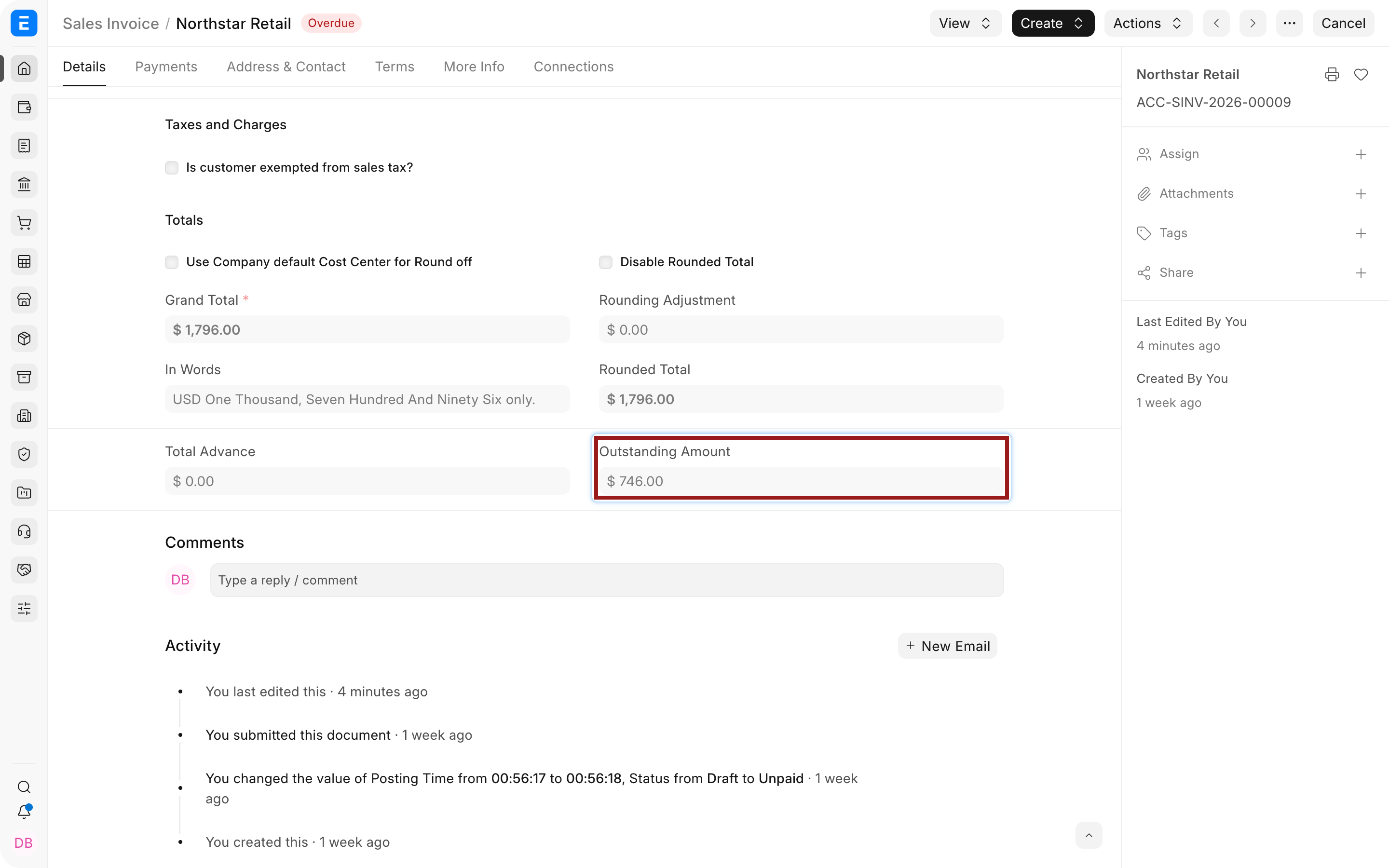
Northstar Retail has a Sales Invoice of 1,796 and pays 525 with a Payment Entry that has no invoice in its References table. The invoice stays fully outstanding: the Payment Ledger has the 525 against the Payment Entry, not against the invoice.
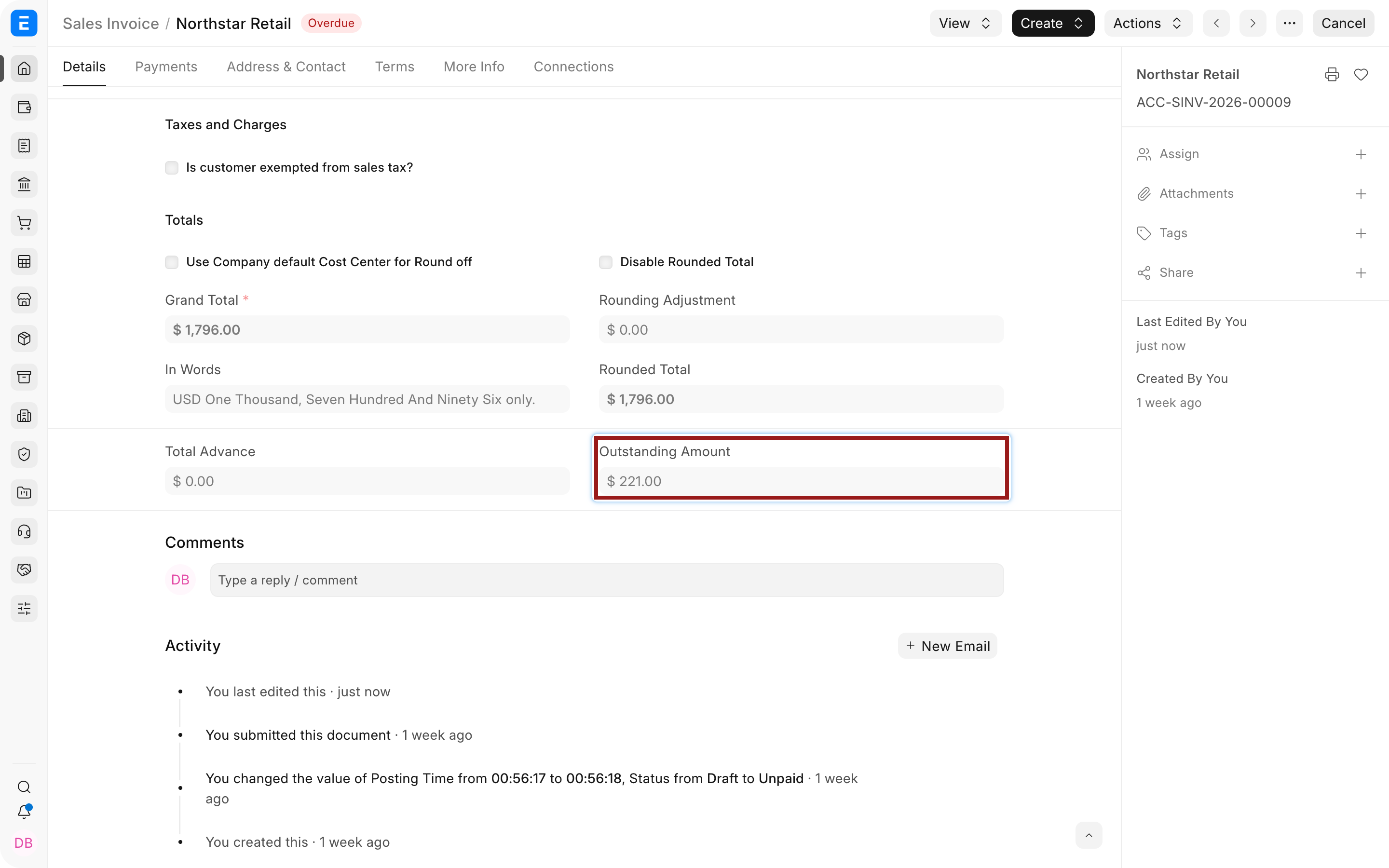
After you match the payment to the invoice with Payment Reconciliation, the 525 is against the invoice. The invoice outstanding becomes 1,271 and its status becomes Partly Paid. The bank balance does not change, because the Payment Entry already recorded the money.
Troubleshooting
An invoice does not appear
Check that the invoice is submitted and that it posts to an account with Account Type Receivable or Payable. Check the company, party, dates, and account filters.
A payment exists but the invoice is still outstanding
The payment may be unallocated, allocated to another invoice, or posted for another party or account. Check its References table, then use Payment Reconciliation.
The outstanding amount changed unexpectedly
Filter by Against Voucher No to see every entry against the invoice: payments, credit or debit notes, Journal Entries, reconciliations, and cancellations. Then open the voucher that changed it.
Payment Ledger and General Ledger look different
The reports answer different questions. The General Ledger shows postings to accounts. The Payment Ledger shows how receivable and payable amounts are allocated to invoices. Compare them with the same company, dates, account, party, and currency.