Set up bank accounts and modes of payment
ERPNext needs two facts to record money: where it moved, and how it moved. A Bank Account is a real account at a bank. A Mode of Payment is the channel, such as bank transfer, card, cash, or cheque. When each mode of payment has a default account, users pick the channel and ERPNext fills the account.
How the records relate
| Record | Purpose |
|---|---|
| Bank | The financial institution |
| Bank Account | An account at a bank, held by your company, a customer, or a supplier |
| Account | The ledger account in the chart of accounts, with Account Type set to Bank or Cash |
| Mode of Payment | How money is paid or received, with a default account for each company |
Prerequisites
- The company has a chart of accounts.
Create the bank
- Open the Bank list and select Add Bank.
- Enter the bank name. Add integration details only if you use a supported bank integration.
- Save.
Create the company bank account
- In the chart of accounts, create a ledger account under the bank accounts group. Set Account Type to Bank.
- Open the Bank Account list and select Add Bank Account.
- Enter the Account Name and select the Bank.
- Select Is Company Account. Then select the Company and, in Company Account, the ledger account from step 1.
- Select Is Default Account if this is the main account of the company.
- In Account Details, enter the Bank Account No or IBAN that you need for payments and reconciliation.
- Save.
Store only the bank details that you need, and restrict access to them.
Create a mode of payment
- Open the Mode of Payment list and select Add Mode of Payment.
- Enter the Mode of Payment name, for example
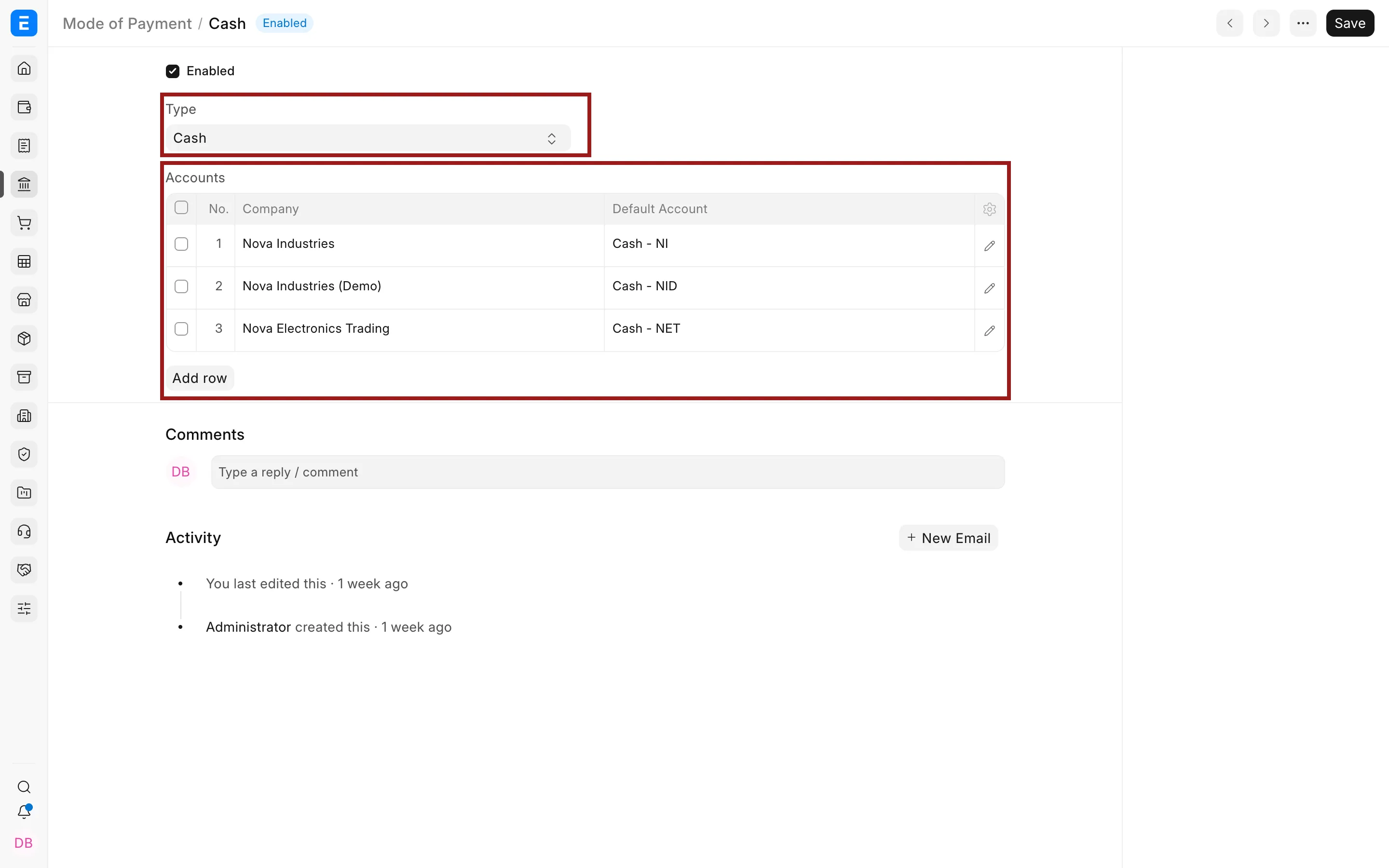
Wire Transfer. - Select the Type: Cash, Bank, General, or Phone.
- In Accounts, add a row for each company with its Default Account. Use a cash account for cash, and a bank or clearing account for transfers and cards.
- Save.
How ERPNext selects the payment account
On a Payment Entry, ERPNext uses the account that the user selects. If there is none, it takes the default account of the mode of payment for the company, then the company's Default Bank Account or Default Cash Account. Check the Account Paid From and Account Paid To fields before you submit.
Next: bank statements
Import or sync bank statement lines as Bank Transactions, then match them with payments in Bank Reconciliation.
Troubleshooting
The bank ledger account is not available
Check that the account belongs to the same company, is not a group, is not disabled, and has Account Type set to Bank.
A mode of payment selects the wrong account
Check the Accounts table of the mode of payment, and the company of the document.