Record tax withheld by a customer
Some customers keep back part of an invoice as withholding tax (in India, TDS) and pay it to the tax authority on your behalf. The bank receives less than the invoice, but the invoice is fully settled. You record this in one Payment Entry: the bank receipt, plus a deduction row for the withheld tax.
For an invoice of 100,000, a customer withholds 10% and pays 90,000. The Payment Entry posts:
| Account | Debit | Credit |
|---|---|---|
| Bank | 90,000 | |
| TDS Receivable | 10,000 | |
| Customer (Debtors) | 100,000 |
This page is about tax that the customer withholds from you. To withhold tax from your suppliers, or to collect tax from customers, see Set up a Tax Withholding Category.
Prerequisites
- A submitted Sales Invoice with an outstanding amount.
- The customer's payment advice or certificate that confirms the withheld amount.
- An asset account for the withheld tax in the Chart of Accounts, for example TDS Receivable or Withholding Tax Receivable. Ask your accountant where it belongs.
Record the payment
- Open the Sales Invoice and check its Outstanding Amount.
- Select Create > Payment. ERPNext opens a Payment Entry with Payment Type Receive, the customer, and the invoice in Payment References.
- In Paid Amount, enter the amount that reached the bank, for example 90,000.
- In Payment References, set the Allocated amount of the invoice to the full amount that the payment and the tax settle, for example 100,000. ERPNext can reduce the allocation to the paid amount; correct it if it does.
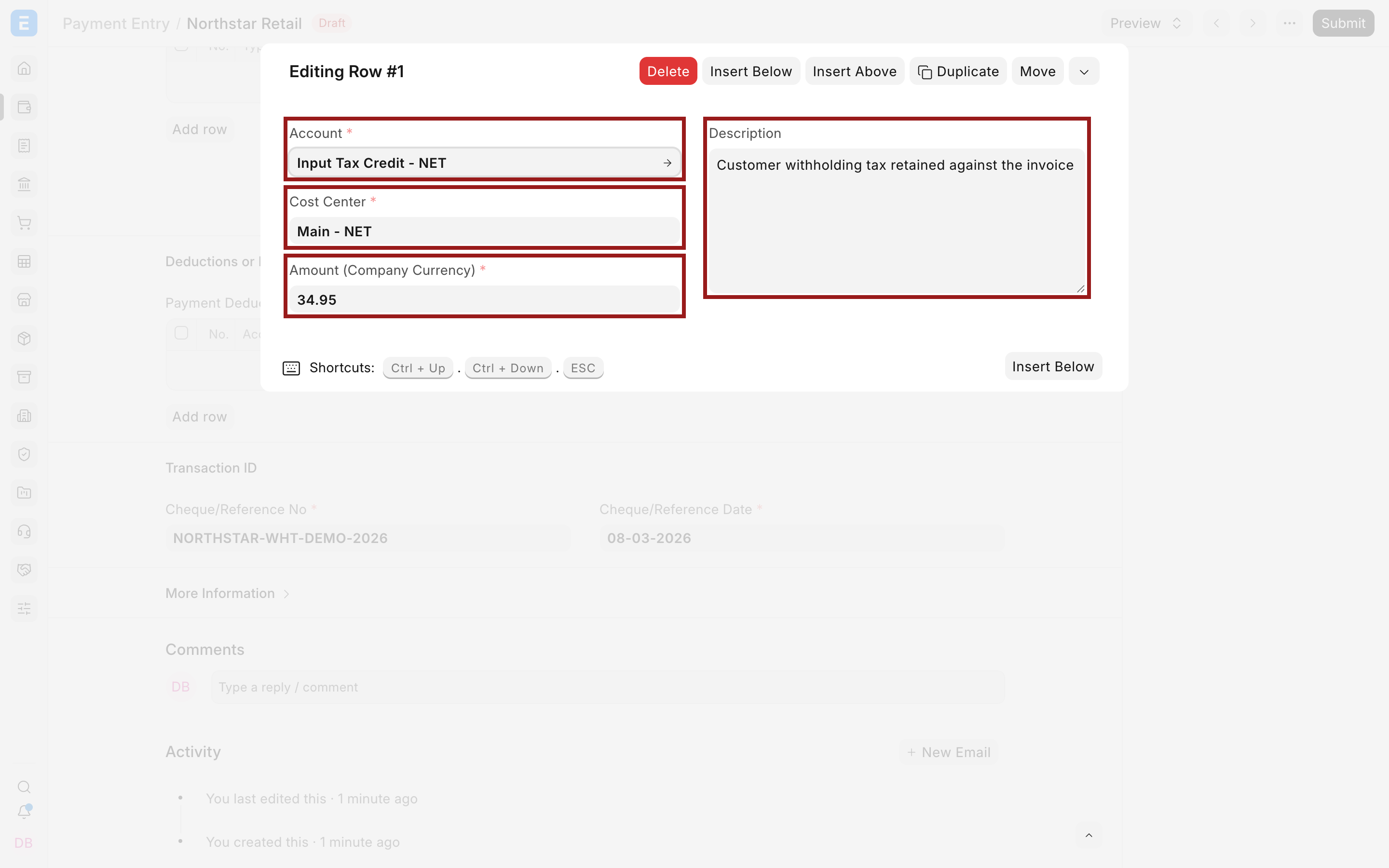
- In Deductions or Loss, add a row to Payment Deductions or Loss:
- Account: the withholding receivable account.
- Cost Center: the cost center that your policy requires.
- Amount (Company Currency): the withheld amount, for example 10,000.
- Description: for example, "Tax withheld by customer on invoice ACC-SINV-0001".
- Check that Difference Amount (Company Currency) is 0.
- Submit.
Check the result
- The Sales Invoice has an Outstanding Amount of 0.
- In the General Ledger, the bank is debited with the receipt, the withholding receivable with the tax, and the customer is credited with the full allocation.
- In Accounts Receivable, the invoice no longer shows.
Reconcile the withholding receivable account with the certificates and with your tax return. A balance without certificates means that a certificate is missing or an entry is wrong.
One Payment Entry can settle several invoices. Allocate each invoice, and make the deduction rows add up to the total tax that the customer withheld.
When not to use this method
| Situation | Use instead |
|---|---|
| The customer paid less and still owes the rest | Allocate only the amount received. The rest stays outstanding. |
| A discount for early payment | Record a payment discount |
| A bank charge | Record payment deductions on a bank charges account |
| An exchange difference | Multi-currency accounting |
| Tax that you withhold from a supplier | Set up a Tax Withholding Category |
Correct a submitted payment
Do not post a separate Journal Entry only to bring the invoice outstanding to zero. Cancel and amend the Payment Entry instead, so that the party references and audit trail stay intact.
Troubleshooting
| Problem | Cause and fix |
|---|---|
| The Difference Amount does not show after you reduce the Paid Amount | ERPNext also reduced the invoice allocation. Set Allocated to the full amount. |
| The invoice stays partly outstanding | Allocated is less than the full amount, or the Payment Entry is not submitted. The deduction row alone does not allocate the invoice. |
| The Difference Amount is not 0 | The paid amount plus the deductions does not equal the allocated amount. Check the amounts, other deduction rows, and the exchange rate. |
| The withheld tax shows as an expense | The deduction uses an expense account. Use the withholding receivable asset account. |