Create a Subscription Plan
A Subscription Plan defines what ERPNext bills on a recurring basis, at what price, and how often. You add one or more plans to a Subscription. A Subscription for a customer generates Sales Invoices, and a Subscription for a supplier generates Purchase Invoices.
Create one plan for each combination of item, price, currency, and billing frequency. For example, "Device Care Monthly" for a USD 199 monthly service, and a separate "Device Care Yearly" plan for customers who pay a year ahead.
Prerequisites
- An Item for the product or service. Use a non-stock item for a service.
- An Item Price in a Price List, if the plan takes its rate from a price list.
- A Payment Gateway Account, if a payment integration collects the charge.
- A Cost Center, if you report subscription income or expense separately.
Create the plan
- Open the Subscription Plan list and select Add Subscription Plan.
- Enter a unique Plan Name that says the service and the interval, for example
Device Care Monthly. - Select the Currency and the Item.
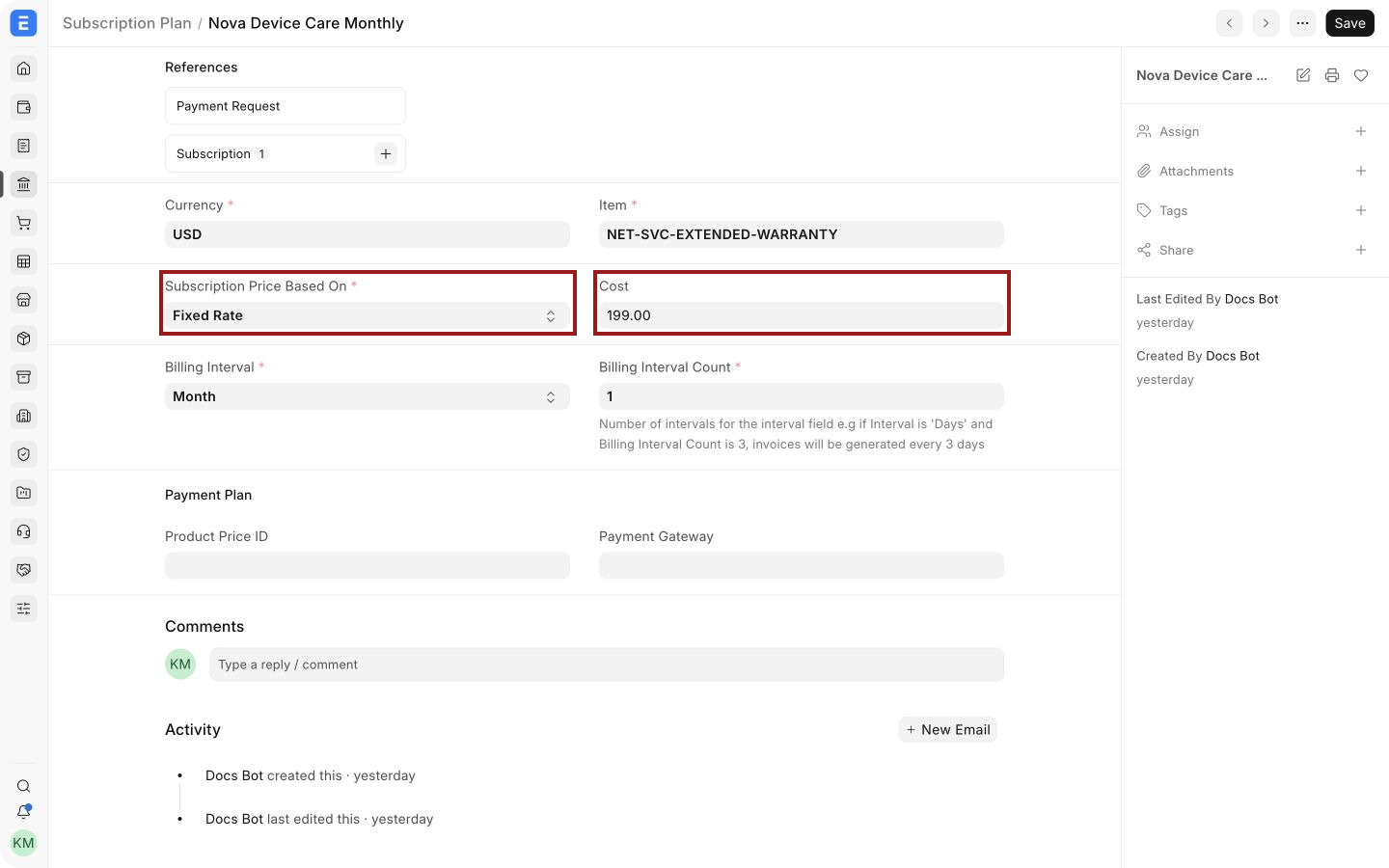
- In Subscription Price Based On, select how ERPNext sets the price (see the next section). Then enter the Cost or select the Price List.
- Set the Billing Interval and the Billing Interval Count.
- Optional: fill in the Payment Plan and Accounting Dimensions sections.
- Save.
Saving a plan does not create an invoice. Invoices start when you add the plan to a Subscription.
Choose how the price is set
| Subscription Price Based On | How ERPNext calculates the rate | Use it when |
|---|---|---|
| Fixed Rate | Uses the Cost that you enter. | The charge is the same every billing cycle. |
| Based On Price List | Reads the item price from the selected Price List. The customer or customer group can change which Item Price applies. | You keep recurring rates as Item Prices. |
| Monthly Rate | Treats Cost as the price for one month, and multiplies it by the number of months in the billing period. | The billing period can cover one or more months. |
When Prorate is selected in Subscription Settings, ERPNext charges only for the part of a period that was used, for example when a subscription billed at the end of the period is cancelled early. For Monthly Rate, it also reduces the charge when the period does not start on the first day of a month.
Changing a plan does not change invoices that already exist. Check the next invoice after you change a rate, a price list, or an interval.
Set the billing frequency
Billing Interval is the unit: Day, Week, Month, or Year. Billing Interval Count is the number of units in one billing cycle. The count is at least 1.
| Billing Interval | Billing Interval Count | Result |
|---|---|---|
| Month | 1 | Bills every month |
| Month | 3 | Bills every three months |
| Week | 2 | Bills every two weeks |
| Year | 1 | Bills every year |
All the plans in one Subscription must have the same billing interval and count. The start date, the invoice timing, trial periods, and calendar-month alignment are set on the Subscription, not on the plan.
Plan fields
| Field | What it controls |
|---|---|
| Plan Name | The unique name that you select on a Subscription. |
| Currency | The currency of the rate and of the generated invoice. |
| Item | The item on the generated invoice. ERPNext uses the item's account defaults. |
| Subscription Price Based On | Fixed rate, price list, or monthly rate. |
| Cost | The fixed or monthly rate. Shown for Fixed Rate and Monthly Rate. |
| Price List | The price list to read the rate from. Shown for Based On Price List. |
| Billing Interval | The unit of the billing cycle. |
| Billing Interval Count | The number of units in one billing cycle. |
| Product Price ID | The price identifier of an external payment provider, when an integration needs it. Leave it blank for normal invoicing. |
| Payment Gateway | The Payment Gateway Account for integrated collection. |
| Cost Center | The cost center for the invoice line. |
Troubleshooting
The invoice rate is zero
For Based On Price List, check that the price list has an Item Price for the plan's item and currency that is valid on the invoice date. If ERPNext finds no price, the plan rate is zero.
The plan bills at the wrong frequency
Check Billing Interval and Billing Interval Count. Month with a count of 3 means one invoice every three months. Then check the start date and invoice timing on the Subscription.
The payment gateway does not collect payment
Linking a gateway on the plan does not complete the integration. Check the Payment Gateway Account, the provider credentials, and the Product Price ID.