Track outstanding invoices with receivable and payable reports
The Accounts Receivable report shows what customers still owe, invoice by invoice. The Accounts Payable report shows what you still owe suppliers. Both show the invoiced amount, what is already paid or credited, the outstanding amount, the due date, and how old each balance is. Use them to plan collections and supplier payments, and to find payments that are not yet allocated to an invoice.
Both reports are built from the Payment Ledger, which links each invoice to the payments and credit notes that settle it.
Prerequisites
- Sales Invoices and Purchase Invoices are submitted. Drafts post no receivable or payable entries.
- Payments are recorded with a Payment Entry.
Run the report
- Open the Accounts Receivable or Accounts Payable report.
- Select the Company and the Report Date. The report shows balances that are open on that date.
- In Ageing Based On, select Due Date (the default) to age by how late the invoice is, or Posting Date to age by how old the invoice is. Accounts Payable also offers Supplier Invoice Date.
- Optional: change the Ageing Range (default
30, 60, 90, 120). - Optional: narrow the result by Party Type and Party, Receivable Account or Payable Account, Cost Center, Project, or Finance Book. Accounts Receivable also filters by Customer Group, Territory, Sales Person, and Sales Partner. Accounts Payable filters by Supplier Group.
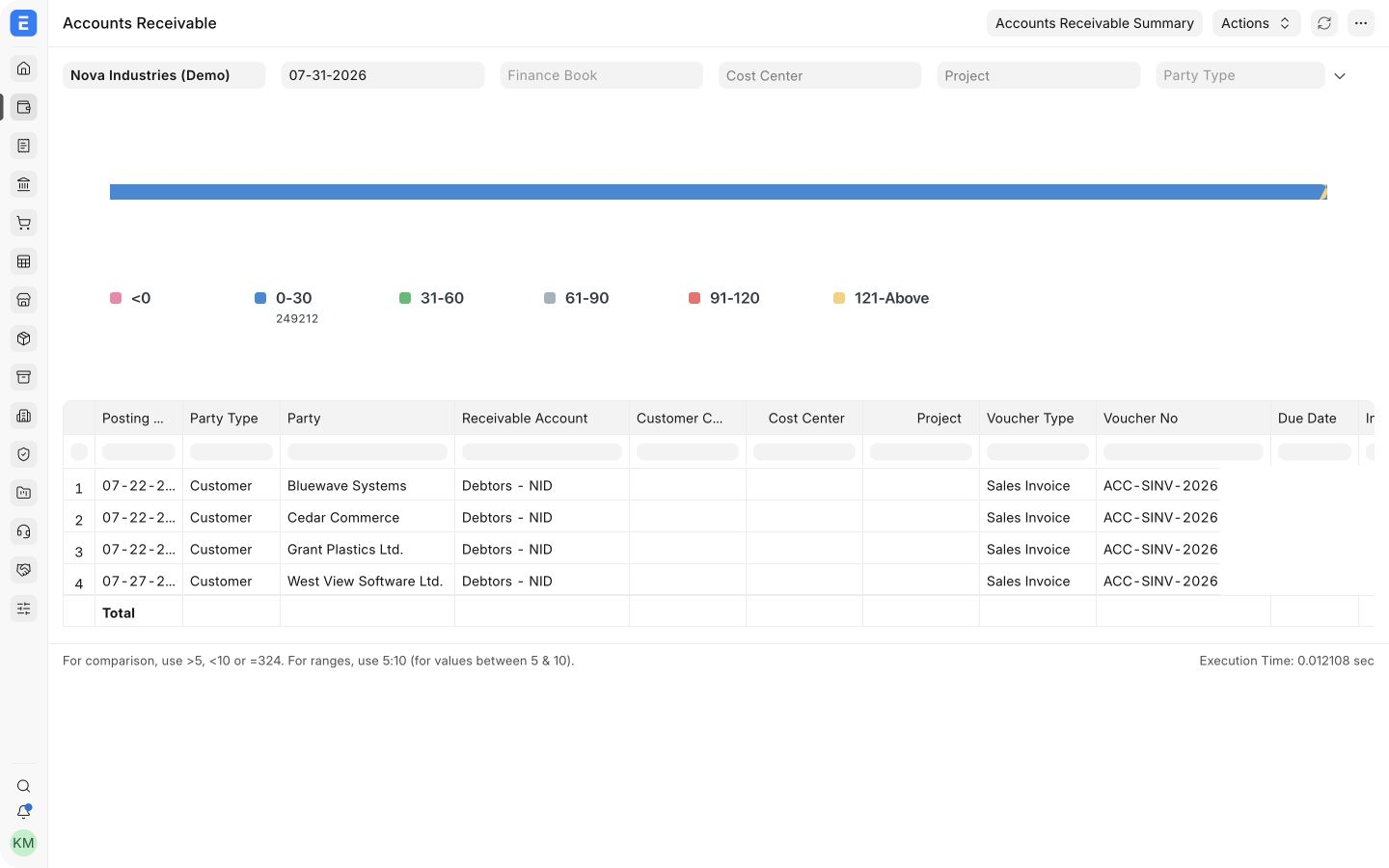
Read the columns
| Column | Meaning |
|---|---|
| Posting Date | The posting date of the voucher. |
| Party | The customer or supplier. |
| Voucher Type, Voucher No | The invoice, Journal Entry, or payment that created the balance. Select it to open the document. |
| Due Date | When payment is due. |
| Invoiced Amount | The original amount. |
| Paid Amount | The payments allocated to the voucher. |
| Credit Note (receivable) or Debit Note (payable) | The returns allocated to the voucher. |
| Outstanding Amount | What is still open. |
| Age (Days) | The age used to place the amount in a bucket. |
| Ageing buckets, for example 0-30 and 31-60 | The outstanding amount by age. A balance that is not yet due shows under <0 when ageing is based on the due date. |
A negative outstanding amount means that the party has an unallocated advance or credit. An old invoice can stay open while a payment for it exists, if the payment is not allocated to that invoice.
Report options
| Option | Effect |
|---|---|
| Age as on | Ages balances as of the Report Date (default) or Today. |
| Based On Payment Terms | Splits an invoice with a payment schedule into one row for each payment term, with its own due date. |
| Show Future Payments | Adds payments dated after the report date, and the balance remaining after them. |
| In Party Currency | Shows amounts in the party's currency instead of the company currency. |
| Group By Customer or Group By Supplier | Adds a subtotal for each party. |
| Group by Voucher | Shows one row for each voucher, across accounts. |
| Include Revaluation Journals | Includes exchange rate revaluation journals. |
| Show Linked Delivery Notes, Show Sales Person, Show Remarks | Add those columns (receivable report). |
Summary reports
Accounts Receivable Summary and Accounts Payable Summary show one line per party instead of one per voucher, with advances, invoiced, paid, and outstanding amounts and the ageing buckets. Use them for collection meetings and to check exposure per party. Select Show GL Balance to compare each party's outstanding amount with its General Ledger balance. Go back to the detailed report before you act, so you know which vouchers are involved.
Act on what you find
| Finding | Action |
|---|---|
| A customer invoice is overdue | Send a statement of accounts, or create a Dunning for a formal reminder with interest or fees. |
| A payment exists but the invoice is still open | Allocate it with Payment Reconciliation. |
| A return or price reduction is approved | Create a Credit Note or Debit Note. |
| A supplier invoice is due | Create a Payment Entry, or a Payment Order to send several approved payments to the bank. |
| A balance is disputed | Open the invoice, its credit or debit notes, and the General Ledger before you change anything. |
Troubleshooting
An invoice is missing
Check that the invoice is submitted, has an outstanding amount, uses the selected receivable or payable account, and matches the other filters. An invoice paid in full before the report date does not show.
An invoice is in the wrong ageing bucket
Check Ageing Based On, Age as on, Ageing Range, and the Report Date. Then check the payment schedule of the invoice.
A payment has not reduced the outstanding amount
The payment may be unallocated, allocated to another invoice, or posted to another party or account. Check the References table of the Payment Entry and the Payment Ledger.
The report does not match the General Ledger
Use the same company, date, currency, party, and account filters. The receivable and payable reports work by voucher, while the General Ledger lists postings. Accounts Receivable Summary with Show GL Balance shows the difference for each party.
Related
- Common receivable account: why one receivable account serves all customers
- Payment Ledger
- Payment Terms Status for Sales Order
- Choose the right accounting report