Create a routing
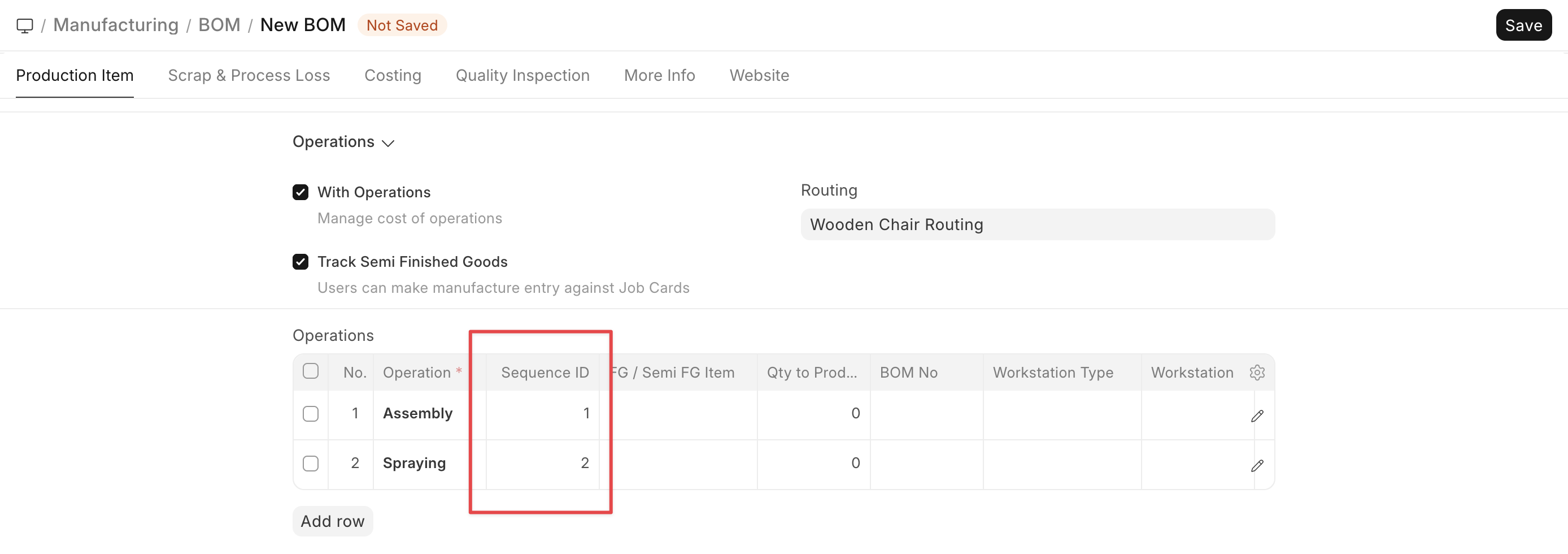
A routing is a template of BOM operations. Use it when many items go through the same operations. You select the routing in a BOM, and ERPNext copies its operations into the BOM.
Prerequisites
- The operations and the workstations that the routing uses.
Create a routing
- Open the Routing list and select New.
- Enter the Routing Name.
- In the operations table, add one row for each operation:
- Select the Operation. ERPNext fills in its default Workstation.
- Enter the Operation Time in minutes.
- Enter the Batch Size: the number of units that the operation processes in that time.
- Optional: enter a Sequence ID (see below).
- Save the routing.
ERPNext calculates the operating cost of each row from the hourly rate of the workstation and the operation time.
To use the routing, select With Operations in a BOM, then select the routing in the Routing field.
Make operations run in order with a sequence ID
A Sequence ID forces operators to complete the operations in order. If an operator tries to complete a Job Card before the Job Cards with a lower sequence ID, ERPNext shows an error.