Shopping cart and checkout
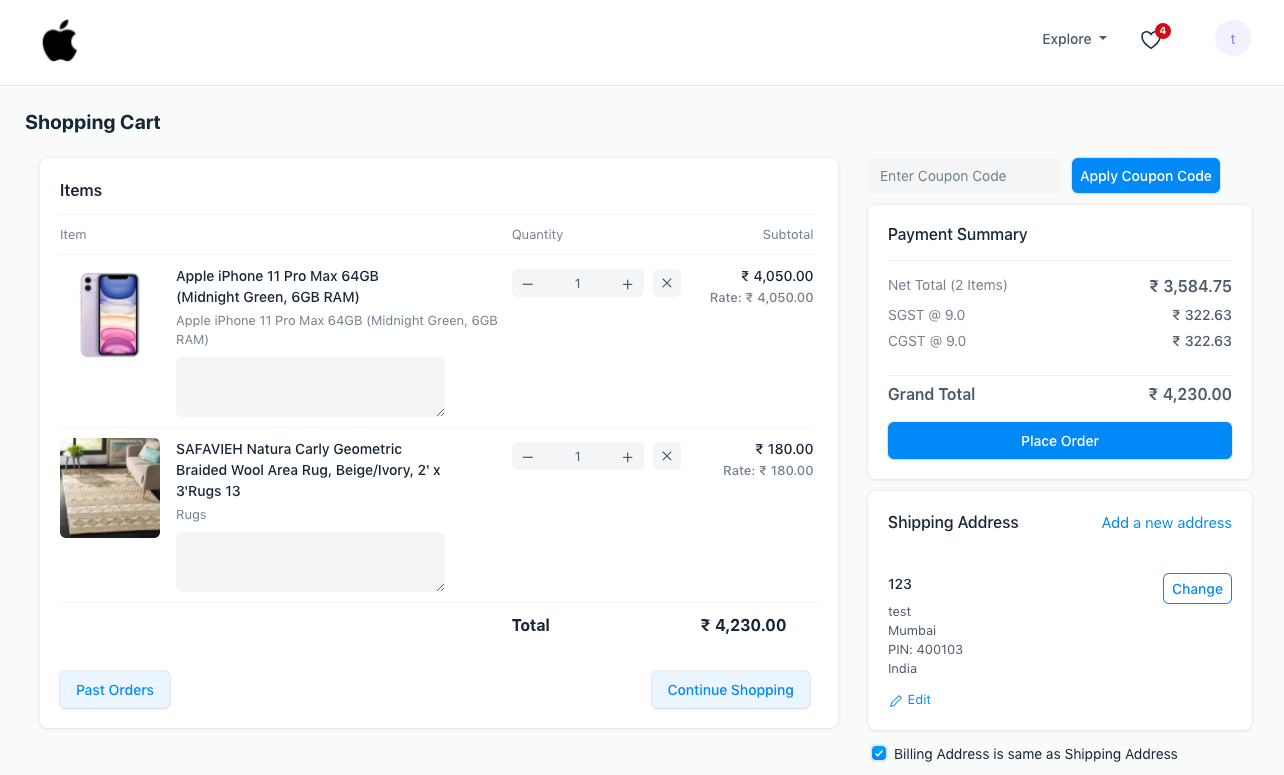
The shopping cart lets customers collect items and then order them or ask for a quote. The webshop creates the order or the quotation in ERPNext.
INFO
The shopping cart comes with the webshop app.
Prerequisites
- Published Website Items with prices.
- For online payment: a payment gateway.
Turn on the cart
- Open Webshop Settings.
- In the shopping cart section, set the Company, Price List, and Default Customer Group.
- Select Enable Shopping Cart.
- Save.
Choose order or quotation
| Setting | What the customer sees | What ERPNext creates |
|---|---|---|
| Enable Checkout selected | A Place Order button | A Sales Order. With a Payment Gateway Account, the customer pays online |
| Enable Checkout cleared | A Request for Quotation button | A Quotation. Show Price in Quotation and Save Quotations as Draft control it |
How items are added to the cart
- Items without variants have an Add to Cart button on their page.
- Items with variants: a template cannot be bought. With Enable Variant Selection in Webshop Settings, the page has a Configure button. The customer selects the attributes to find the variant, then adds it to the cart.