Create and manage companies
A company in ERPNext is a legal entity that keeps its own books: transactions, accounts, taxes, stock valuation, and financial statements. The setup wizard creates your first company. Create another company when an entity keeps separate books or has its own tax registration.
For a part of the same legal entity, such as a branch, do not create a company. Use a cost center, a warehouse, or an accounting dimension.
Prerequisites
- The System Manager role, or another role that can create a Company.
- The legal name, an abbreviation, the country, the currency, and the chart of accounts of the entity.
- A decision: is this a group that only organizes child companies, or a company that records transactions?
Create a company
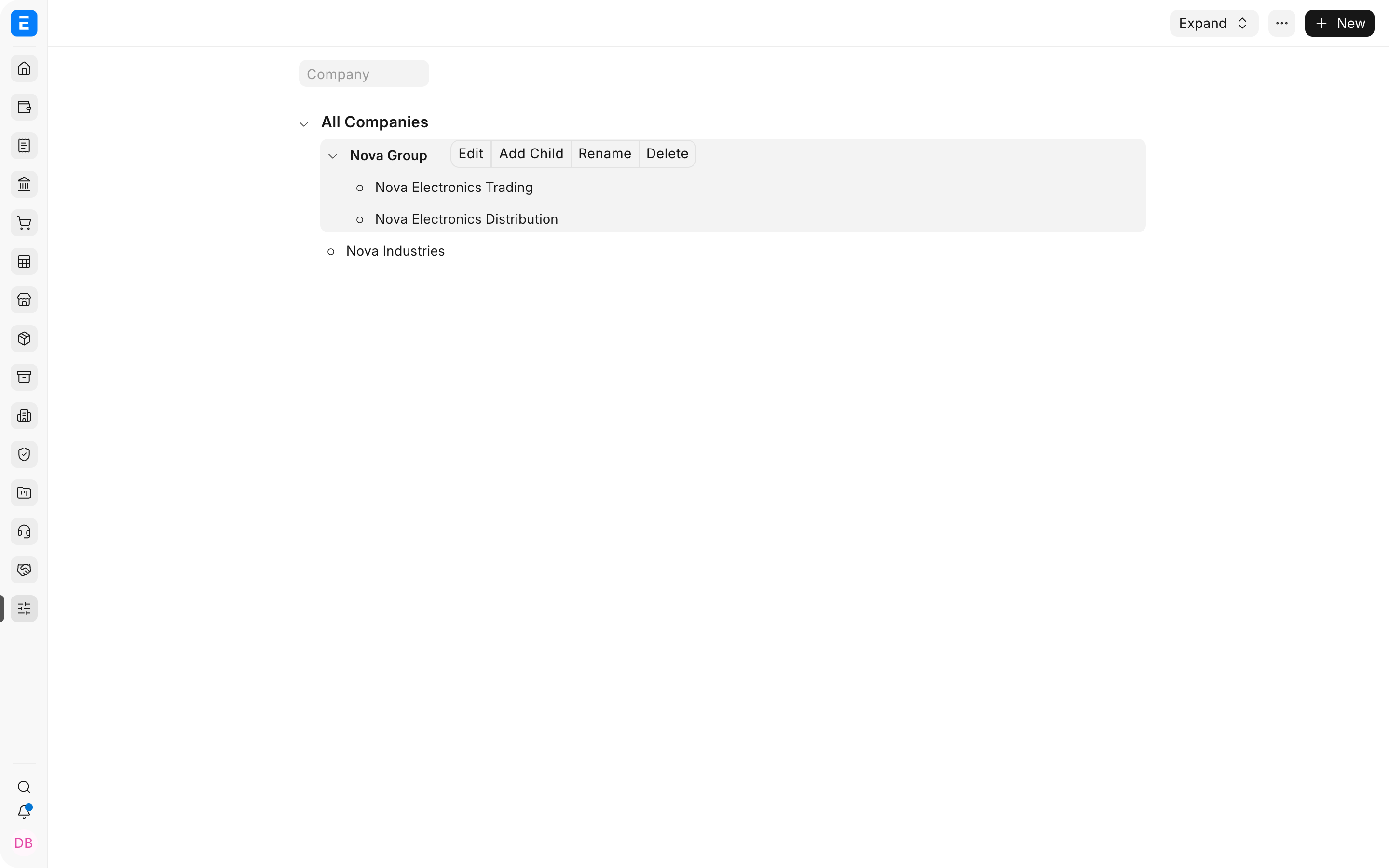
- Open the Company list. It opens as a tree.
- Select New for an independent company. To create a subsidiary, select the parent group and select Add Child.
- In Company, enter the legal name.
- In Abbr, enter a short code. ERPNext adds it to the names of the company's accounts, cost centers, and warehouses, for example
Cash - NI. - Select the Default Currency and the Country.
- In Create Chart Of Accounts Based On, select Standard Template and a template, or select Existing Company to copy the chart of another company.
- Select Is Group only if the company organizes child companies and records no transactions.
- In Parent Company, select the group that the company belongs to, if any.
- Save. ERPNext creates the chart of accounts, a root cost center, and default warehouses for the company.
Main fields
| Field | Meaning |
|---|---|
| Abbr | The short code added to the company's accounts, cost centers, and warehouses. |
| Default Currency | The currency of the company's books and financial statements. |
| Country | Gives regional defaults and decides which regional features apply. |
| Is Group | Makes the company a parent that only organizes child companies. |
| Parent Company | Places the company under a group. |
| Reporting Currency | A second currency for reports, when you need reports in another currency than the books. |
Review the defaults
After you save a company, review its tabs before you post transactions:
- Accounts: the default receivable, payable, income, expense, round-off, and exchange gain or loss accounts, and the default cost center.
- Buying and Selling: defaults for buying and selling documents.
- Stock and Manufacturing: perpetual inventory and the stock accounts.
Learn more in Company accounting defaults.
Set up many companies
- Use sibling companies for entities at the same level.
- Use a parent group and child companies for subsidiaries.
- Record each sale or purchase between companies in both companies. See Inter-company invoices and Inter-company journal entries.
- Each company has its own currency. Transactions in other currencies need the right accounts and exchange rates.
Troubleshooting
Changing the abbreviation
The abbreviation is part of the names of many linked masters. Avoid changing it after transactions or many company masters exist. Test the change on a copy of the site first.
A company does not appear in a transaction
Check that the user has permission for the company. A user permission on Company limits the companies that a user can select.