Track procurement with the Procurement Tracker
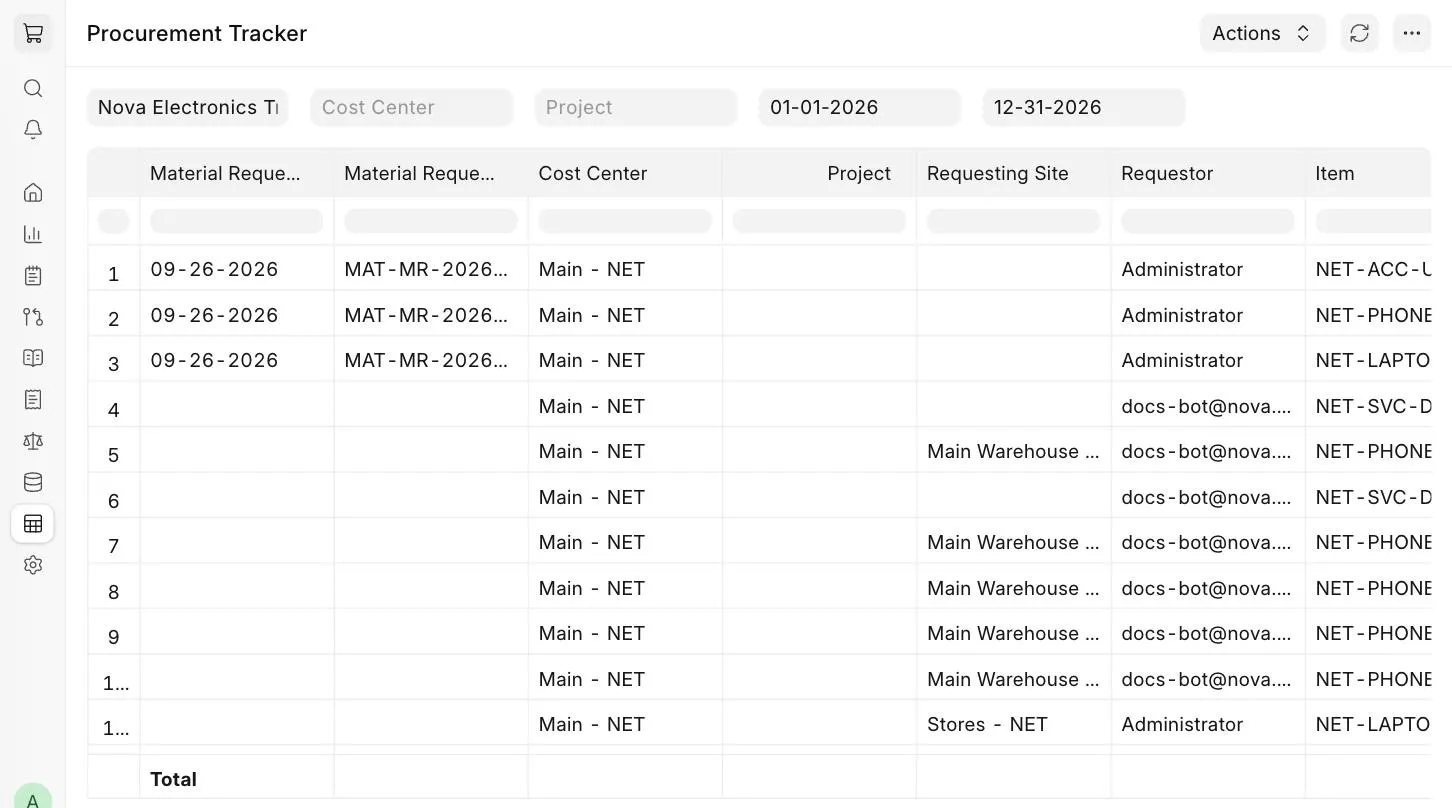
The Procurement Tracker report shows every Item that is in the procurement process, in one view. For each requested Item, it follows the Material Request to the Purchase Order and the delivery. Use it to find late orders and cost differences.
Prerequisites
- Your process starts with a Material Request, and Purchase Orders are created from it. Purchase Orders without a Material Request show without request details.
Run the report
- Search for Procurement Tracker in the search bar and open it.
- Select the Company.
- Optionally, filter by Cost Center, Project, and a date range.
Read the report
Each row is one requested Item. The columns show:
- The request: the Material Request date and number, cost center, project, requesting site (warehouse), requestor, Item, quantity, unit of measure, and status.
- The order: the Purchase Order date and number, the supplier, and the amount.
- Cost: the estimated cost at the time of the request, and the actual cost of the order.
- Delivery: the expected delivery date and the actual delivery date.
Compare the estimated and the actual cost to find price changes. Compare the expected and the actual delivery dates to find late suppliers.